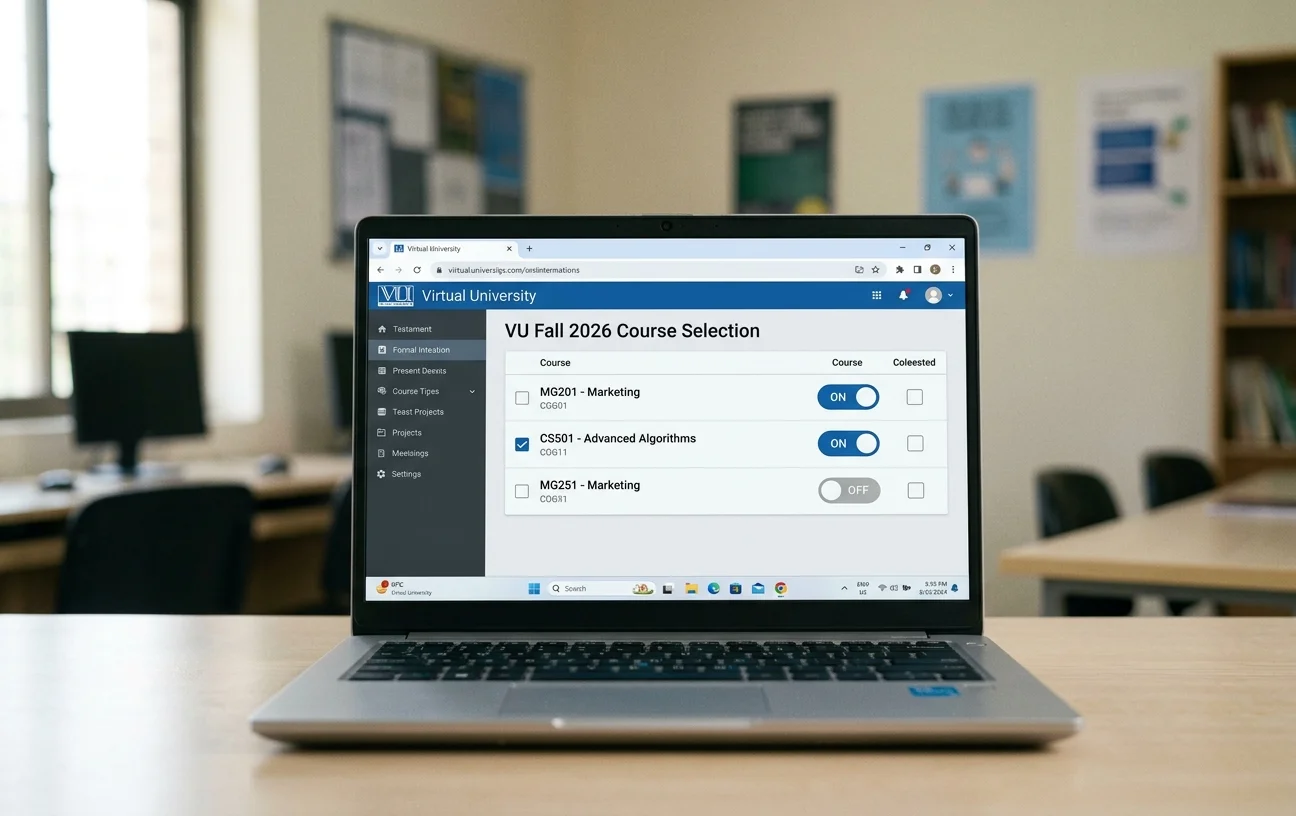
The official announcement is out for all continuing, senior, and returning students at the Virtual University of Pakistan: VU Fall 2026 course selection is now officially open on VULMS.
If you are currently deciding on your subjects, calculating your credit hours limit, or worrying that you accidentally clicked the wrong subject, take a deep breath. The course selection process on VULMS is fully flexible, allowing you to modify your workload without any penalty.
In this guide, we will cover the official deadline, how the selection and toggle system works, and a step-by-step process to select or change your subjects for the Fall 2026 semester.
Primary Highlights: VU Fall 2026 Course Selection Schedule
| Details | Official Information |
| Semester | Fall 2026 |
| University | Virtual University of Pakistan (VU) |
| Portal | Virtual University Learning Management System (VULMS) |
| Last Date for Course Selection | October 15, 2026 |
| Modification Allowed? | Yes (Select/Deselect anytime before deadline) |
Made a Mistake? How the Course Selection Toggle System Works
Many students panic when they select a subject by accident, realize a course conflicts with their schedule, or decide to change their subject combination.
There is no need to worry if you make a mistake. Virtual University’s LMS uses an interactive toggle button system (checkboxes and action switches) that gives you complete control over your course enrollment until the final deadline.
How to Add or Drop Subjects
- To Select a Course: Check or toggle ON the checkbox next to the course name.
- To Drop/Remove a Course: Uncheck or toggle OFF the box next to the course you wish to remove.
- Confirm Changes: Click the “Save Selection” button at the bottom of the page.
Important Note for Students
Your selection is not permanent until the portal closes on October 15, 2026. If you accidentally select a subject today, you can log into VULMS tomorrow, toggle it off, pick the right subject, and save your updated selection. You can change your decision as many times as needed before the closing date.
Step-by-Step Guide: How to Complete Course Selection on VULMS
Follow these simple steps to select and save your courses for the Fall 2026 semester:
- Log into VULMS: Visit the official VULMS portal (vulms.vu.edu.pk) and log in using your student ID and password.
- Access Course Selection: From the main dashboard menu on the left side, click on Student Services, then click the Course Selection link.
- Review Course Limits & Prerequisites: Check your maximum allowed credit hours for the semester (determined by your CGPA and academic standing).
- Prioritize Failed & Improvement Courses: Always prioritize repeating any failed subjects (F grade) or low-grade subjects (D grade) to improve your CGPA.
- Use the Toggle Buttons: Click the check boxes/toggle switches to select your desired courses for Fall 2026 or remove unwanted ones.
- Save Your Changes: Scroll to the bottom of the page and click the Save Selection button. A green confirmation message will appear confirming your updated schedule.
Key Rules to Keep in Mind for VU Fall 2026
- First-Semester Students: Newly admitted students in their first semester generally do not need to perform course selection. Their courses are pre-selected by default.
- Credit Hour Cap: Standard credit hour limits range between 15 and 18 credit hours per semester. Final-year students or high-CGPA students may be allowed up to 21 credit hours.
- Prerequisites: Ensure you have cleared all prerequisite subjects (e.g., passing CS101 before taking advanced programming modules) before enrolling.
- Avoid Last-Minute System Traffic: The VULMS server experiences high traffic on the final day. Complete and finalize your selection a few days before October 15, 2026.