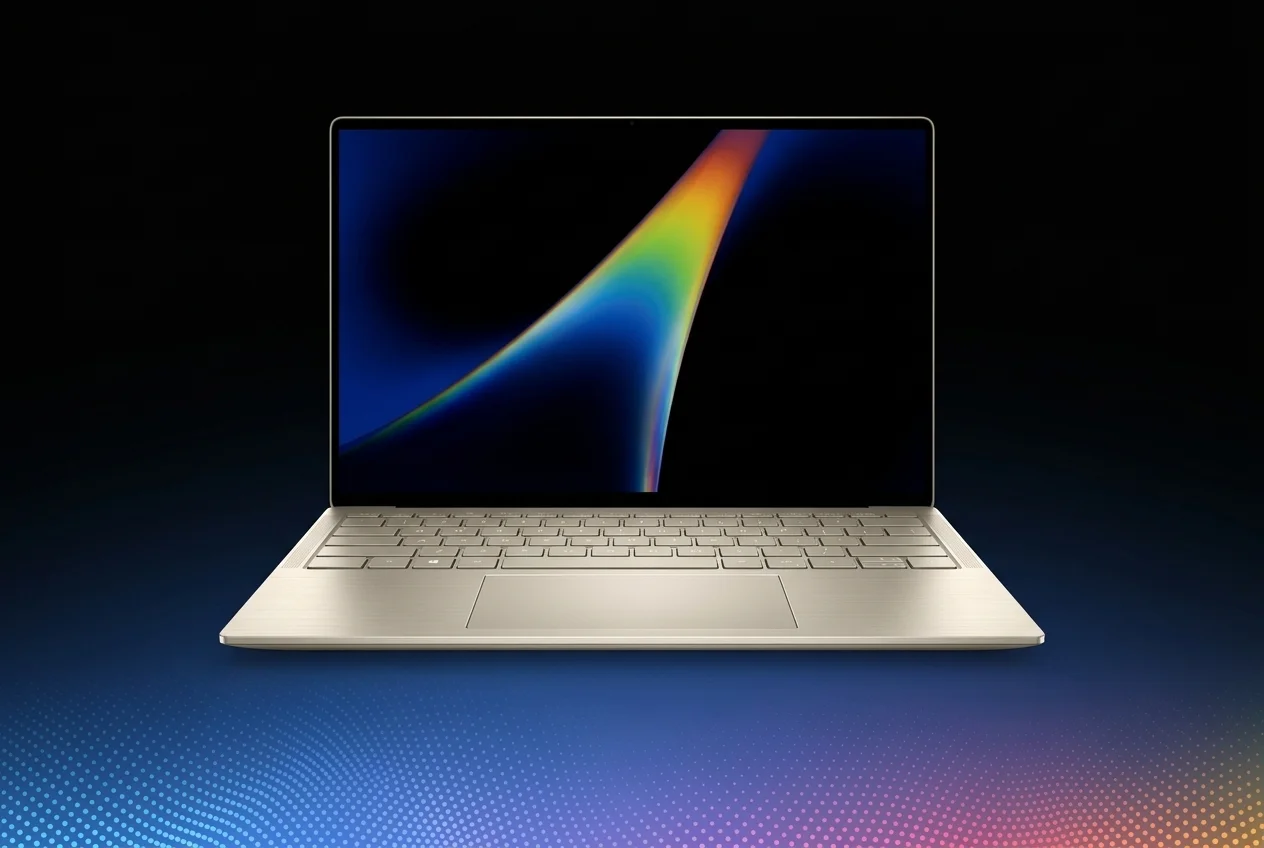
Google has officially entered a new phase of the laptop market with Googlebook, a new category of premium laptops designed to bring Android and desktop computing closer together.
Unlike traditional Chromebooks, which have generally focused on simplicity, affordability, education, and everyday computing, Googlebooks are positioned as flagship laptops with premium hardware, built-in Gemini intelligence, high-resolution touchscreens, and deep integration with Android smartphones.
What Is Googlebook?
Googlebook is Google’s new premium laptop category that combines the desktop foundations associated with ChromeOS with technology from Android.
Google describes the platform as a new category rather than simply a replacement for Chromebooks. The goal is to provide a more powerful laptop experience while making an Android smartphone feel like a natural extension of the computer.
Googlebook laptops are built around three major ideas:
Premium laptop hardware
Deep Android smartphone integration
Gemini-powered artificial intelligence
Five Googlebook Laptops Launch With Different Designs
Acer Googlebook 14
The Acer Googlebook 14 is the entry point to the lineup at $899. It is also the only convertible model among the first five Googlebooks, allowing the laptop to transform into a tablet-style device.
It features a 14-inch 2.8K OLED touchscreen, 16GB of RAM, 512GB of storage, an Intel Core Ultra 5 processor, and an NPU rated at up to 49 TOPS. Google lists battery life of up to 16 hours under its controlled web-browsing testing.
ASUS Googlebook 14
ASUS is targeting users who prioritize portability with the ASUS Googlebook 14.The laptop weighs approximately 2.2 pounds (1 kg) and starts at $1,299. It combines an Intel Core Ultra processor with 16GB of RAM, 512GB of storage, and a 14-inch 2.8K OLED touchscreen.
Dell XPS Googlebook
Dell brings its premium XPS design language to the Googlebook category with the XPS Googlebook.The model starts at $999 and uses a Qualcomm Snapdragon X Elite processor. It features a 13.4-inch 2.5K touchscreen, 16GB of RAM, and 512GB of storage. Google lists battery life of up to 18 hours under its controlled web-browsing test.
HP Googlebook 14
The HP Googlebook 14 focuses on a clean and streamlined premium design.It starts at $1,299 and uses a Snapdragon X Elite processor, 16GB of RAM, 512GB of storage, and a 14-inch 2.8K OLED touchscreen. Google lists up to 19 hours of web-browsing battery life for this model.
Lenovo Googlebook 15
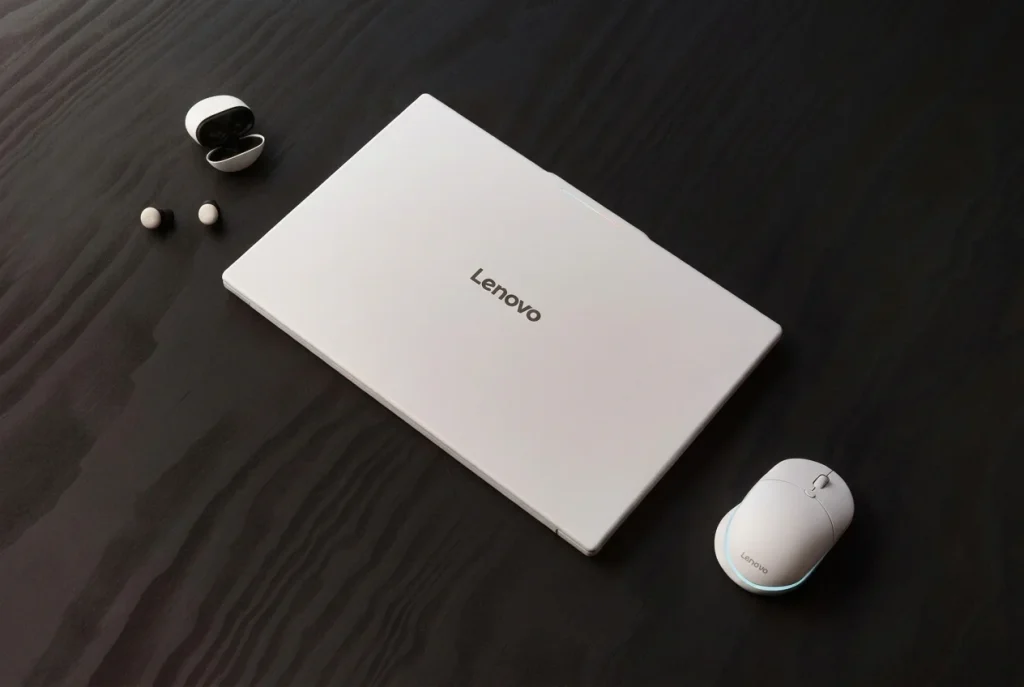
Lenovo takes a larger-screen approach with the Googlebook 15.The laptop features a 15.3-inch 2.8K OLED touchscreen and starts at $1,099. It is powered by an Intel Core Ultra 5 processor with 16GB of RAM and 512GB of storage. Google lists up to 13 hours of battery life under its controlled testing conditions.
Googlebook Models at a Glance
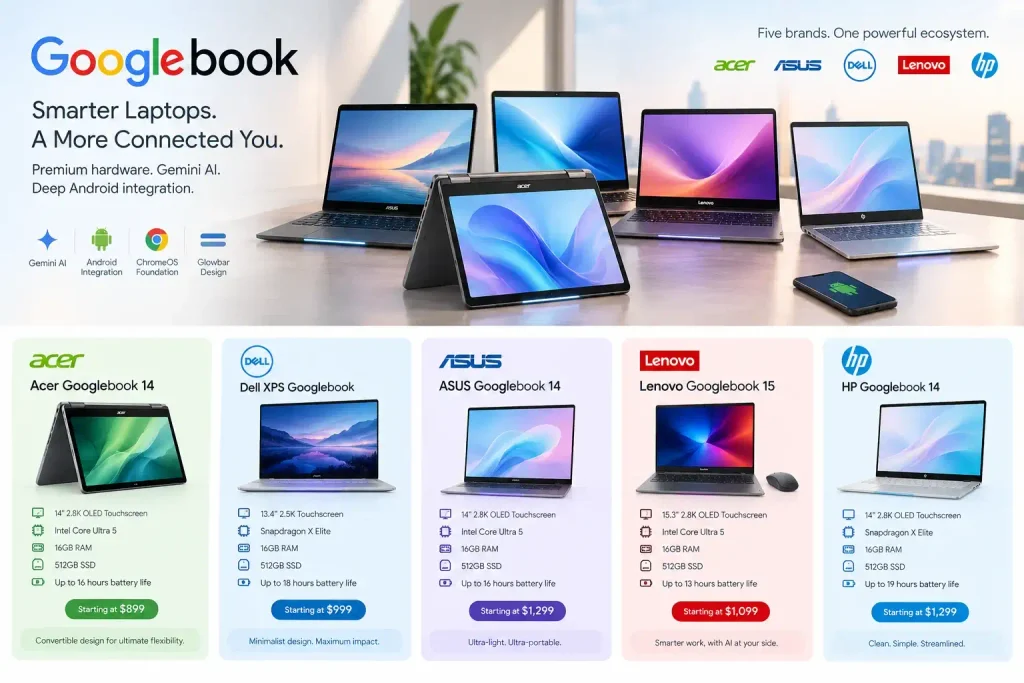
| Model | Starting Price | Display | Processor | RAM | Storage |
| Acer Googlebook 14 | $899 | 14″ 2.8K OLED | Intel Core Ultra 5 | 16GB | 512GB |
| Dell XPS Googlebook | $1,199 | 13.4″ 2.5K LCD | Snapdragon X Elite | 16GB | 512GB |
| Lenovo Googlebook 15 | $1,349 | 15.3″ 2.8K OLED | Intel Core Ultra 5 | 16GB | 512GB |
| ASUS Googlebook 14 | $1,299 tentative | 14″ 2.8K OLED | Intel Core Ultra 5 | 16GB | 512GB |
| HP Googlebook 14 | $1,299 tentative | 14″ 2.8K OLED | Snapdragon X Elite | 16GB | 512GB |
Specifications and battery figures are based on Google’s current official comparison information; actual battery life can vary with usage and conditions.
Googlebook OS: A New Approach to Desktop Computing
One of the biggest differences between Googlebooks and conventional Chromebooks is the software platform.
Googlebook OS is built on the Android technology stack while incorporating desktop foundations from ChromeOS. Google has designed the operating system around Gemini Intelligence, Android applications, desktop Chrome, and cross-device functionality.
The result is intended to make the laptop feel less like a separate computer and more like an extension of an Android phone.
Googlebook and Android Phone Integration
Cast My Apps
Cast My Apps allows users to open applications from their Android phone directly on their Googlebook without separately installing those mobile apps on the laptop.
Users can interact with supported phone applications in laptop windows while continuing to work on the larger display.
Quick Access
Quick Access allows users to access files, photos, and downloads stored on their connected Android phone as though they were available directly on the laptop.
Continue On
Continue On is designed to let users move an active task from their Android phone to a Googlebook. For example, someone could begin working on a document or another supported activity on a smartphone and continue the task on the larger laptop display.
Gemini AI Is Built Into Googlebook
Magic Pointer
Magic Pointer is one of the most distinctive features. Instead of opening a separate AI application and manually explaining what is on the screen, users can wiggle the cursor to activate Gemini. Magic Pointer can understand text, images, and other contextual information on the display.
Create My Widget
Create My Widget allows users to generate personalized desktop widgets using natural-language instructions. Users can describe what they want and let Gemini create it.
Quick Insert
Quick Insert provides rapid access to useful content and tools from the keyboard, including clipboard content, emojis, screenshots, and other frequently used functions.
Rambler Dictation
Rambler is Google’s AI-powered voice dictation feature. It is designed to understand context and transform spoken input into cleaner, more structured writing.
Googlebook App Support
Googlebook is not limited to a small collection of web applications.
The platform combines the desktop Chrome browser and its extensions with access to millions of Android applications through Google Play.
Google says many Android applications are being optimized for larger displays, keyboards, and mouse input.
Googlebook Hardware Requirements
Google has established minimum hardware expectations for the new laptops category.
Key hardware characteristics include:
- Premium aluminum, magnesium, or other high-end materials
- Touchscreen displays
- At least 16GB of RAM
- 512GB storage on the initial models
- Intel Core Ultra or Qualcomm Snapdragon processors
- Dedicated NPUs capable of more than 45 TOPS
- Integrated graphics rather than discrete GPUs
- Long battery life
- Security hardware such as Titan security components on the launch models
The Glowbar Is Googlebook’s Visual Signature

One of the most recognizable elements of the new laptops is the Glowbar.
The exterior light bar acts as a visual signature for Google’s new laptops. It can provide glanceable information and interactive animations, while Google is also opening Glowbar functionality to developers for custom animations.
The feature gives the Googlebook category a recognizable physical identity that separates these laptops from conventional Windows, macOS, and Chromebook devices.
Up to 10 Years of Updates
Google says Googlebook OS will receive regular feature updates and software and security updates for up to 10 years.
That commitment is particularly relevant for premium laptops because users buying an $899-or-more computer may expect to keep it for several years rather than replacing it frequently.
Who Is Googlebook Designed For?
Googlebook is primarily aimed at users who already live inside the Android ecosystem.
Google’s target use cases include:
- Everyday productivity
- Web browsing
- Document creation
- Communication
- Media consumption
- AI-assisted work
- Light creative work
- Android application use
- Development and advanced AI experimentation
What Google Says About the Google’s Strategy
John Solomon, Google’s Vice President and General Manager for Laptops, Tablets & Android Enterprise, described Googlebook as a new laptop category built around the way people move between smartphones and computers.
The strategy is closely tied to Android. Rather than treating the phone and laptop as two completely separate devices, Google wants the two screens to work together through features such as Cast My Apps, Quick Access, and Continue On.
Googlebook Pricing and Availability
Googlebook laptops start at $899 in the United States.
The initial lineup currently ranges from the $899 Acer Googlebook 14 to $1,299 models from ASUS and HP. The Dell XPS Googlebook starts at $999, while Lenovo’s Googlebook 15 starts at $1,099.
Google opened pre-orders on September 21, 2026.
The first devices are scheduled to reach stores on October 4 in the United States, followed by October 5 availability in Canada, the United Kingdom, Ireland, France, Germany, and Australia.
Each Google’s new laptops also includes 12 months of Google AI Pro, which comes with 5TB of cloud storage and Google’s advanced Gemini tools.
Googlebook vs Chromebook: What’s the Difference?
The biggest difference is positioning.
Chromebooks remain focused on simple, fast, and efficient computing, while Googlebooks are designed as a premium category with more powerful hardware, higher-end displays, greater memory capacity, built-in AI capabilities, and deeper Android integration.
Final Thoughts
Googlebook represents a significant change in Google’s laptop strategy.
Instead of competing primarily in the affordable Chromebook market, Google is now establishing a premium laptop category with Googlebook OS, Gemini AI, high-end hardware, and deep Android integration at its center.
The first generation gives consumers five different designs from Acer, ASUS, Dell, HP, and Lenovo, while maintaining a common software experience across the lineup.
The most interesting part of Google’s laptops may ultimately be its connection to Android. Features such as Cast My Apps, Quick Access, Continue On, Magic Pointer, Create My Widget, and Rambler are designed around the idea that a laptop and smartphone should work together rather than operate as isolated devices.
With prices beginning at $899 and the first laptops arriving in October 2026, Google’s new laptops is now moving from an announced concept into a real product category.